
Stimz Connect tag
The physical NFC tag, ready to tap.
A tap-to-help profile on a tag. Built for neurodivergent independence - never patronising, always private.
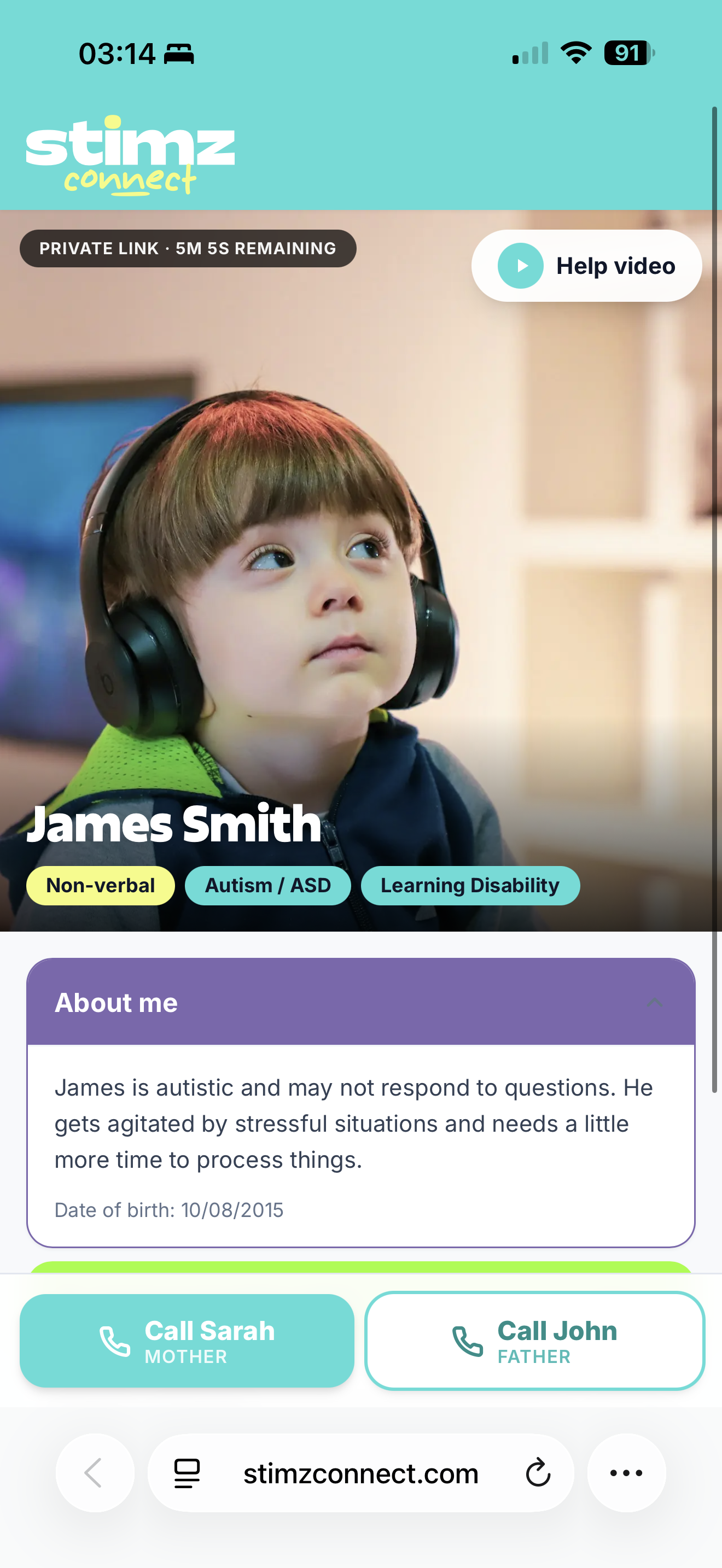
Create a simple support profile linked to an NFC tag, with a QR code backup. If someone taps or scans the tag, they see exactly what helps and who to contact.
Add the things that matter. Emergency contacts, medical notes, communication needs, sensory support and “how to help me” guidance. All in calm, plain language.
Who they are
First name, photo, the few pills that matter - non-verbal, autism, learning disability.
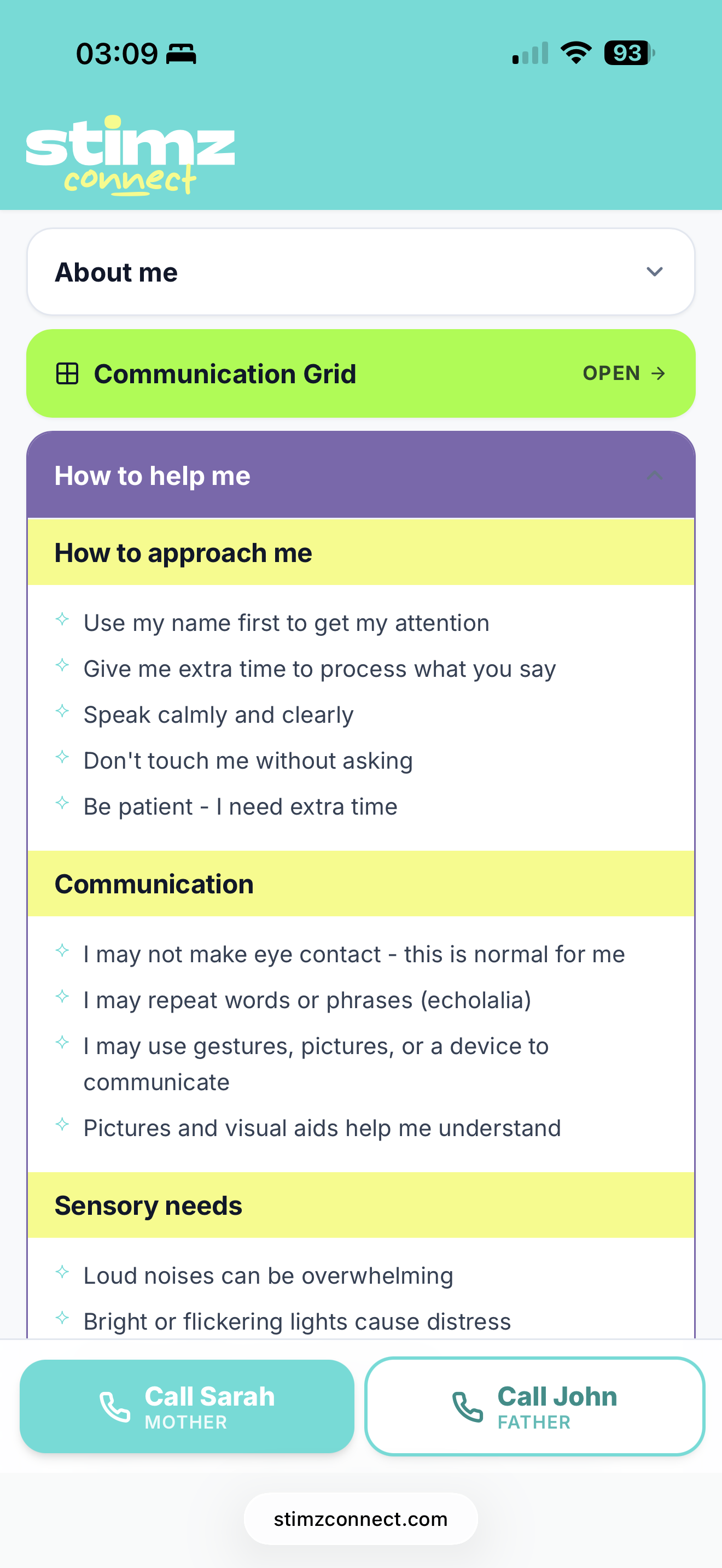
How to help
Approach, communication, sensory - written by the person or carer, in their own words.
A way to speak back
A totally customisable 8-button grid for when words are hard. Swap labels, icons, colours, sounds, even photos. Tap once, the helper sees it.
Tap to try it
Stimz Connect isn’t an SOS button. Most days you’ll forget it’s there. On the day it matters, a stranger can tap the tag and instantly know how to help.
It’s for the solo trip to the GP. The bus that goes the wrong way. The shop assistant who talks too fast. Small moments where a script would change everything.
The whole idea
“Passive care, without the patronising.”
A calm dashboard, not a control panel. Tick the few things that matter. Get a quiet text the moment the tag is tapped.
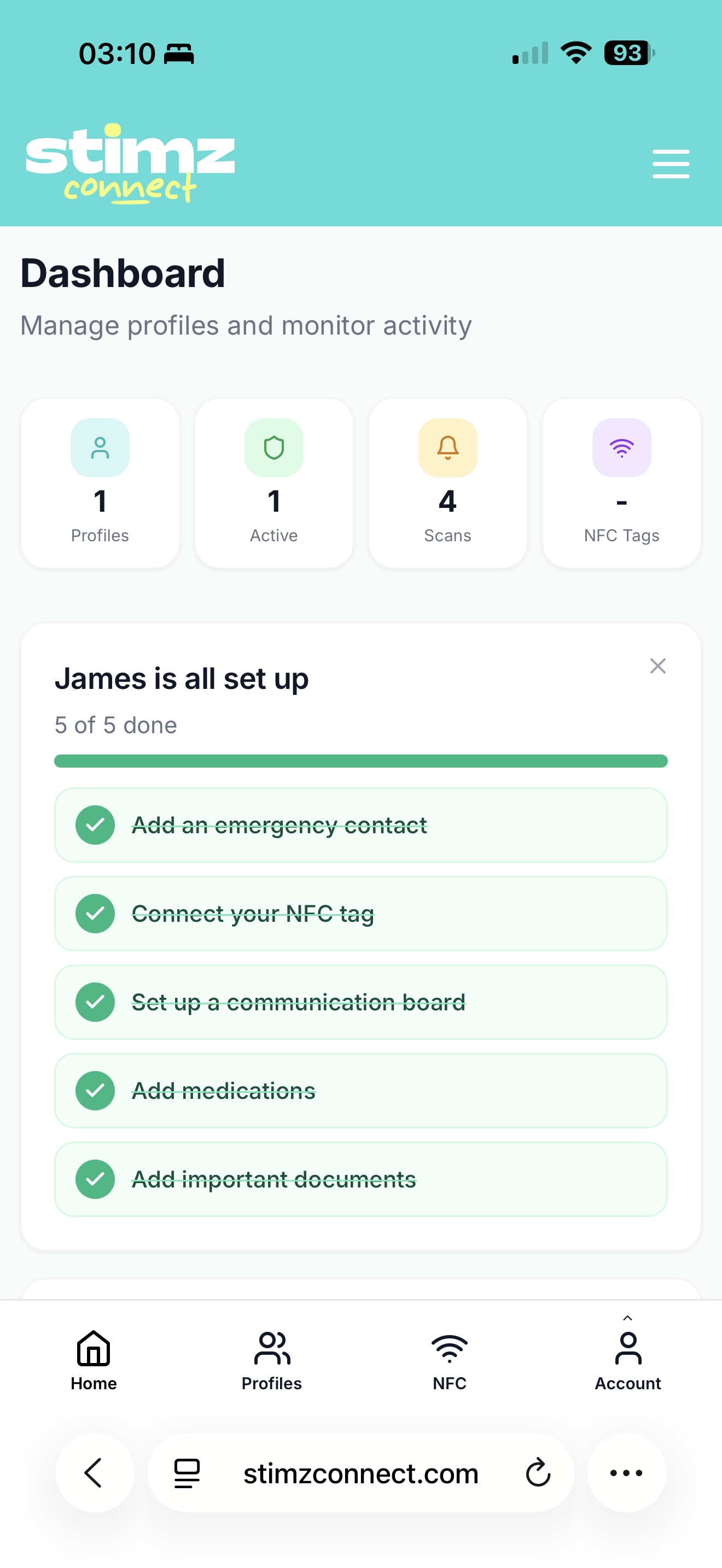
Dashboard. One screen, five ticks, you’re live.
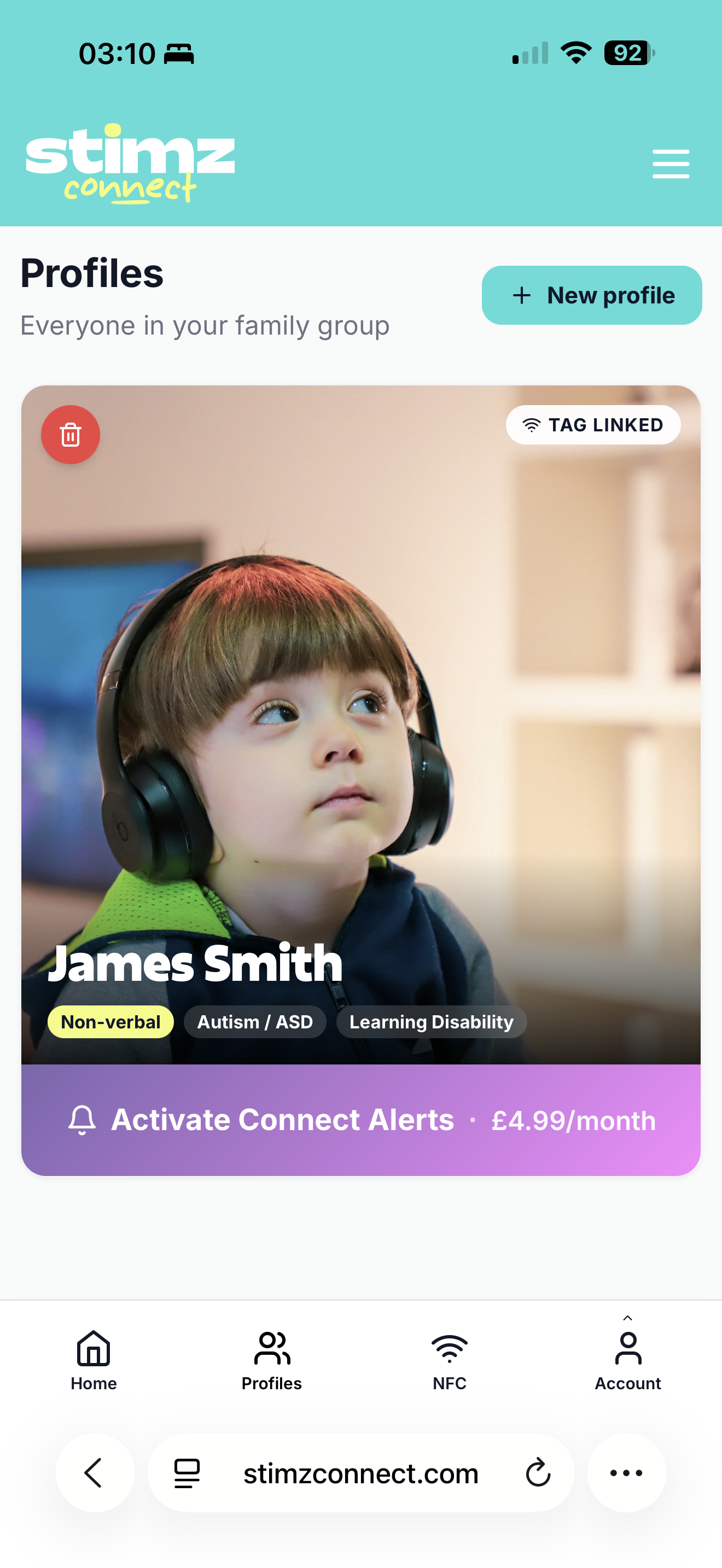
Profiles. Add the people in your care, one card each.
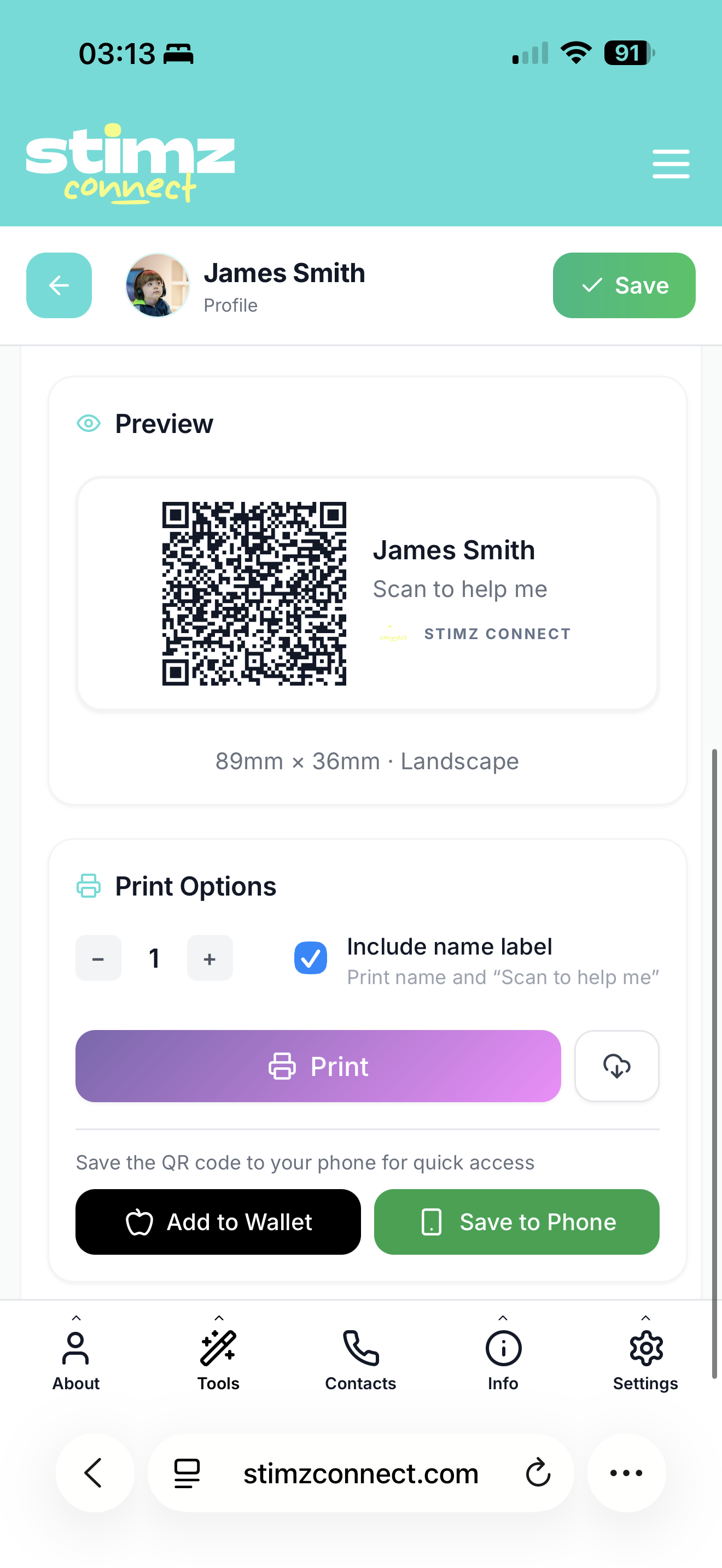
Backup QR. Your profile also includes a QR code you can save or print for backup.
A guided setup, the same shape on every profile. Skip anything you’re not ready for and come back to it later.
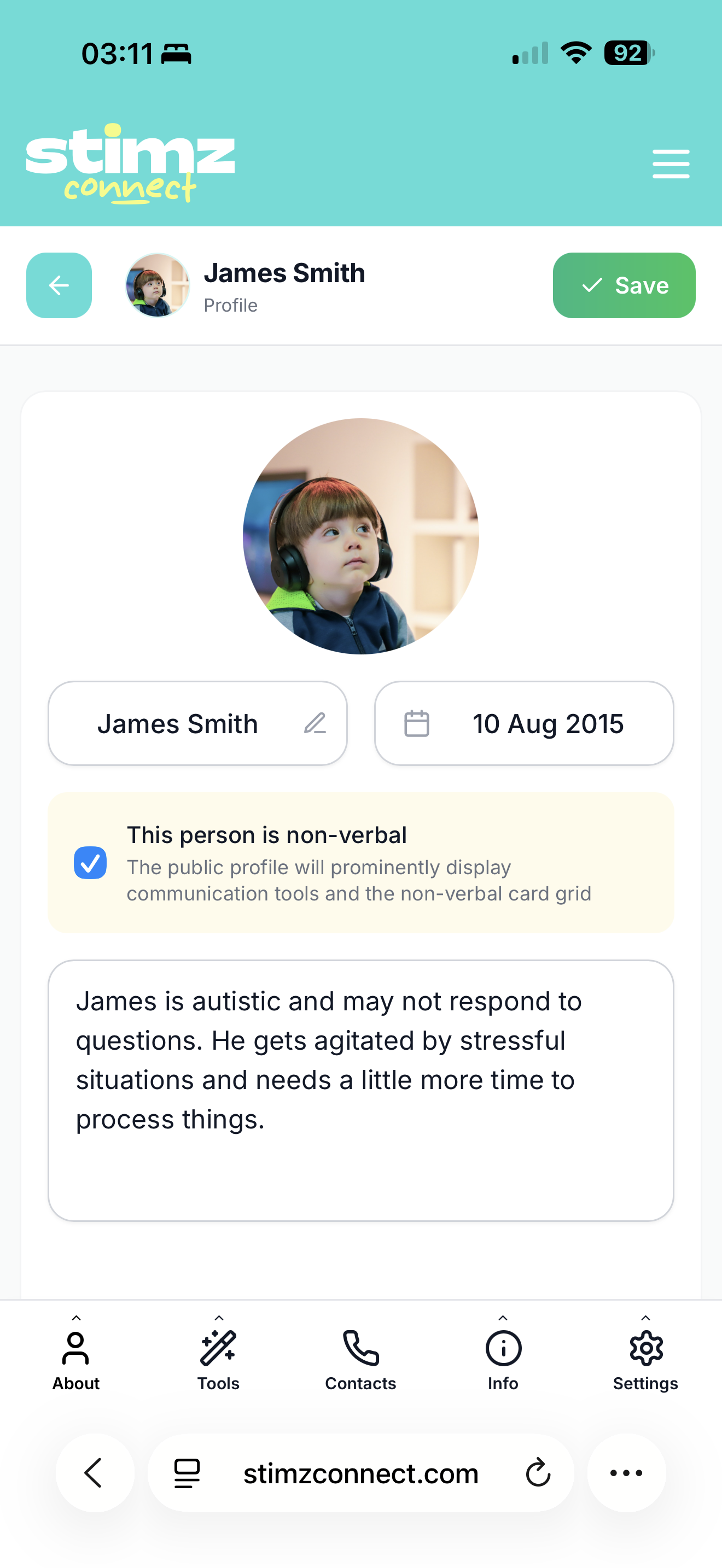
A name, a photo, a bio in their own words. Toggle non-verbal if it applies.
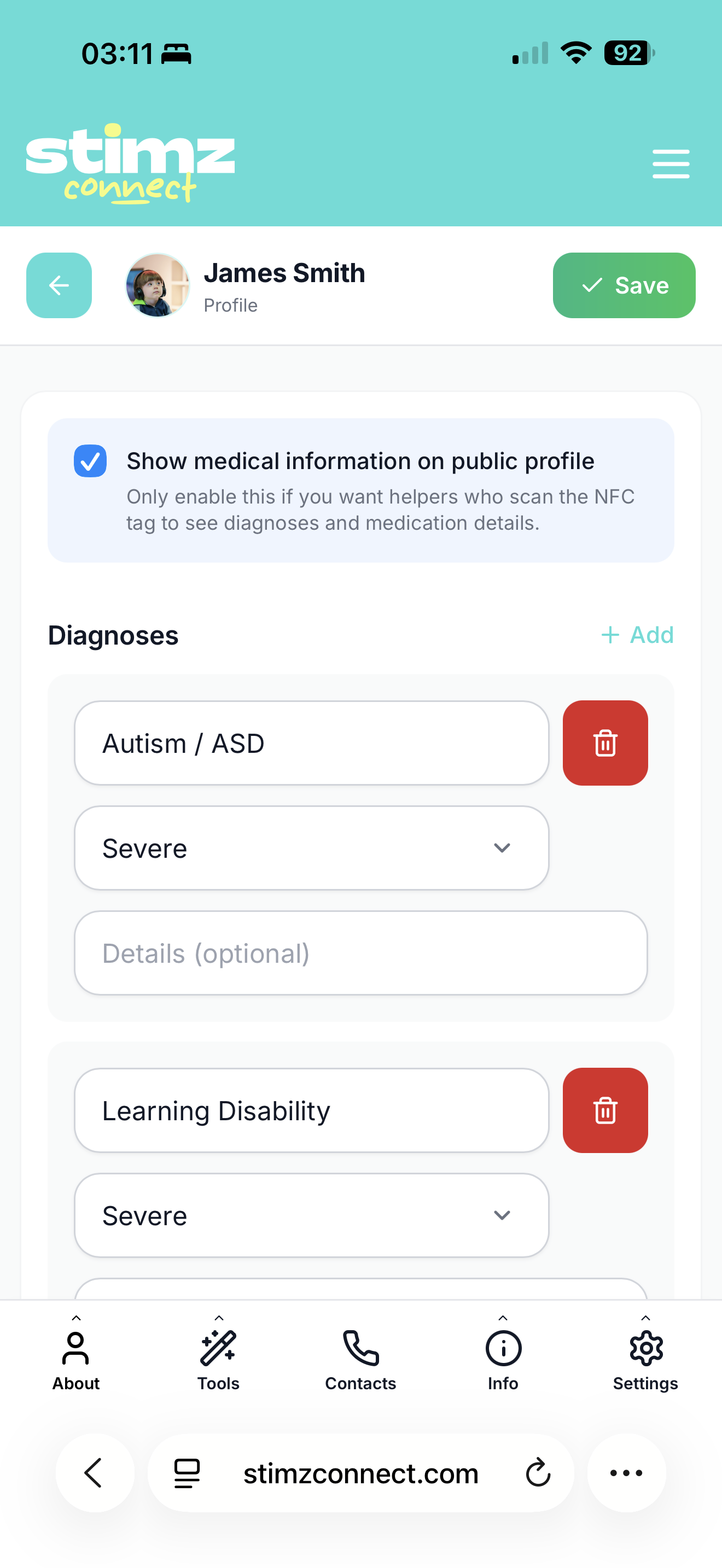
Diagnoses and meds. Mark anything critical so it’s the first thing a helper sees.
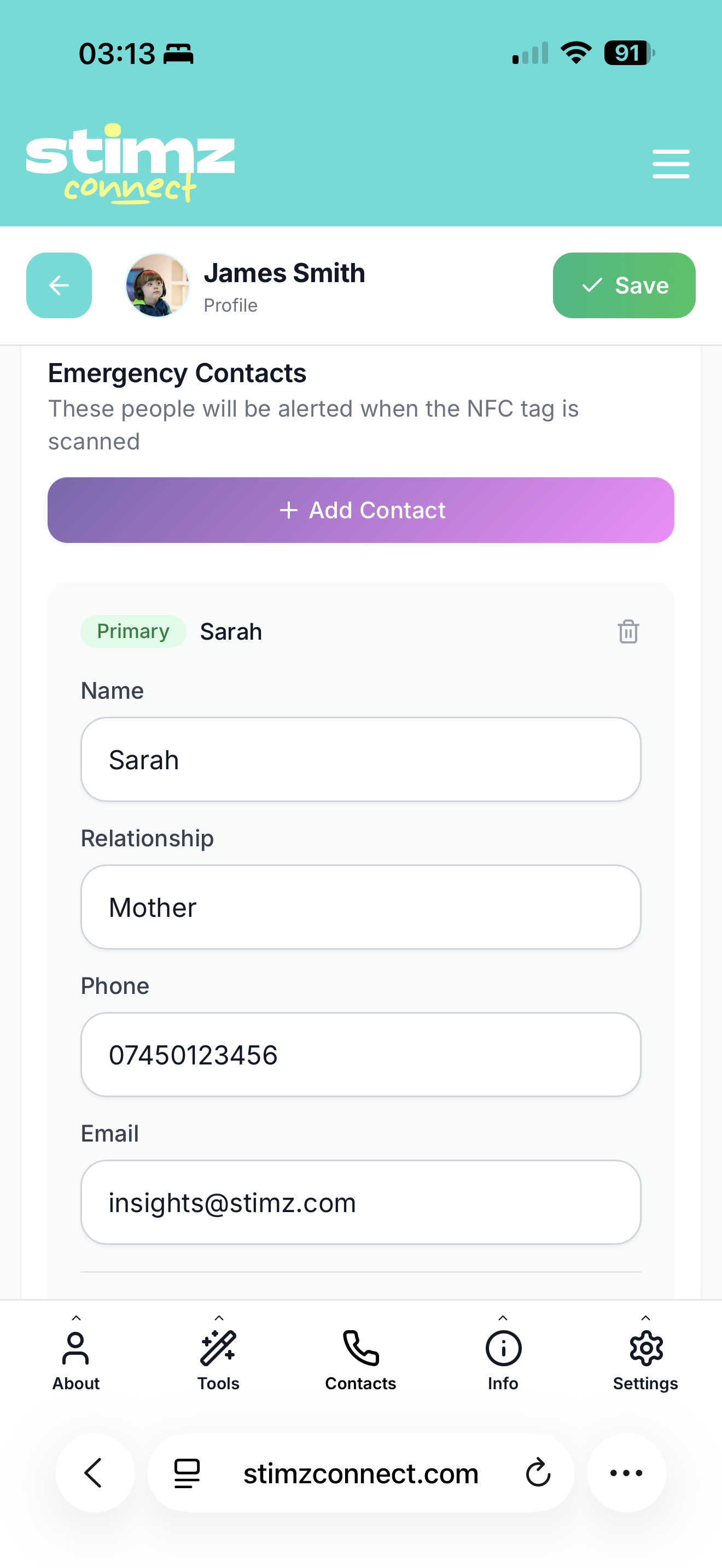
One primary contact, one backup. Carers get a calm SMS the moment the tag is tapped.
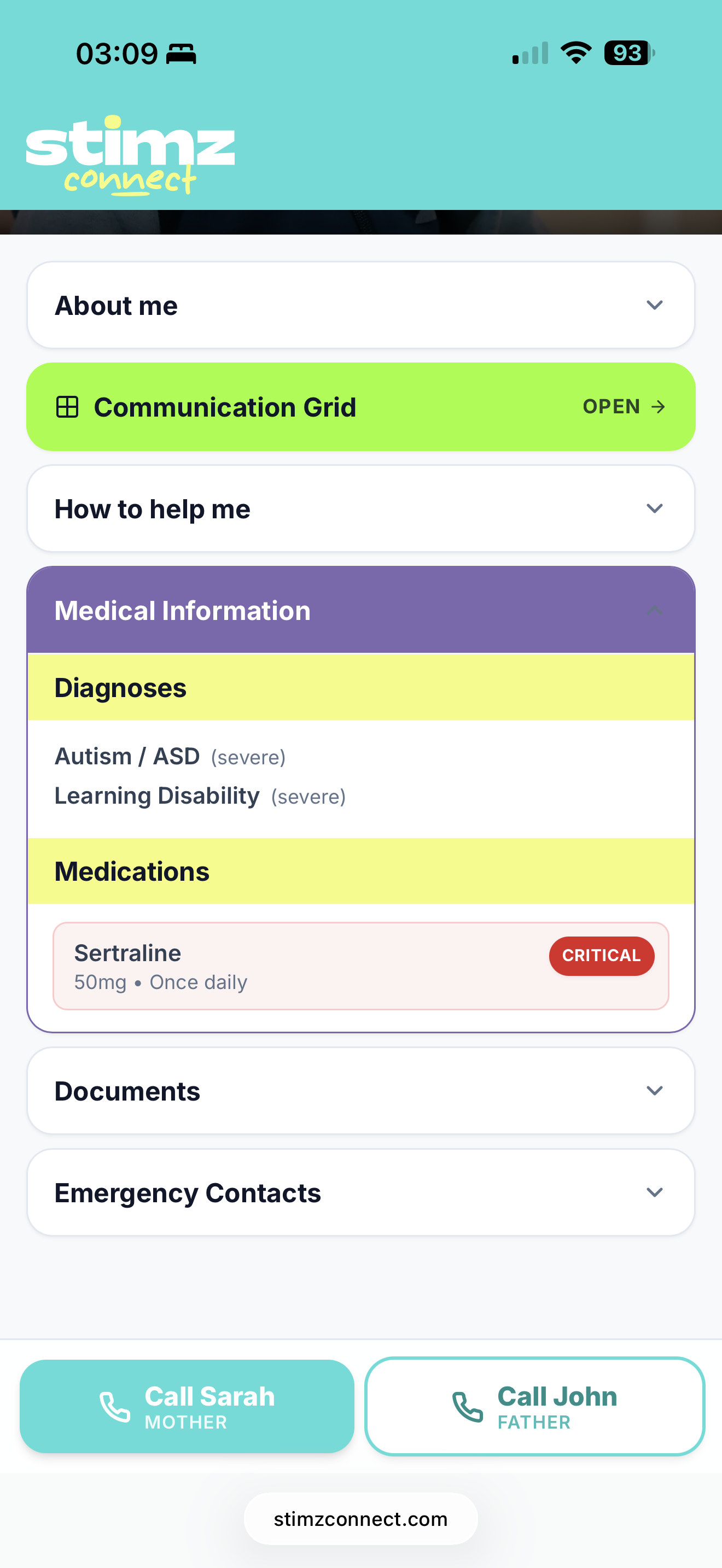
Diagnoses are listed plainly. Medication you mark as critical shows up in a high-contrast pill the helper can’t miss.
A paramedic, a teacher, a stranger in a shop - they all get the same clear answer. No guessing. No medical jargon to decode.
One small parcel, everything you need to set up.
The physical NFC tag, ready to tap.
Your claim code and setup link arrive by email, so you can set up in your own time.
Editable any time. QR code backup included.
Add the £4.99/mo alerts subscription whenever you want.
Tags are a one-off purchase. Every tag includes a free support profile. Add Connect Alerts to get notified when someone scans.
Included with every Stimz Connect tag. No subscription needed.
Get SMS, email and push notifications when your tag is scanned. Pick the tier that matches how many profiles you’re supporting. Cancel or change anytime in iOS Settings.
1 profile
Best if you support one person.
3 profiles
One subscription, three covered.
4 profiles
Most carer households fit here.
10 profiles
For larger households and small care services.
All Connect Alerts tiers include the same features — only the number of profiles changes. Upgrade or downgrade anytime in iOS Settings → Apple ID → Subscriptions.
Tags are a one-off (no subscription). See tag options.
No. They just tap the tag with a modern phone and the support profile opens in their browser.
Yes. Every Connect tag includes an editable support profile. You can update it anytime.
Connect Alerts are an optional subscription that notifies your emergency contact when your tag is tapped. If the person scanning chooses to share their location, that can be sent too. Pick a tier based on how many profiles you want covered — Solo (£4.99/mo, 1 profile), Trio (£9.99/mo, 3 profiles), Family (£14.99/mo, 4 profiles) or Max (£44.99/mo, 10 profiles).
All tiers include the same features — only the number of profiles covered differs. If you support one person, Solo is enough. Most carer households fit the Family tier (4 profiles). Larger households and small care services use Max (10 profiles). You can upgrade or downgrade anytime in iOS Settings → Apple ID → Subscriptions, and the change applies at your next billing date.
Cancellation takes effect at the end of your current billing month — alerts keep working until then. If you downgrade to a tier with fewer profiles than you have alerts active on, the app asks you to pick which profiles to keep alerts on before the change applies. Existing tag profiles and data are never deleted.
No. There is no live tracking. Location is only shared if Connect Alerts are active and the person scanning chooses to share it.
Yes. You can link multiple tags to one profile, or set up different profiles for family members.
Yes. You can manage multiple profiles from your dashboard.
Log in, edit your profile and save. Changes update straight away.
No. It can be used for everyday support too, such as communication needs, appointments, school trips, medical notes, sensory support or calming strategies.
Drop us a note - we reply within one working day. Or email hello@stimz.com directly.
Free to set up. Five minutes to activate. Then quiet, until the day it matters.